![fourvenues.LOGO.blanco.png]](https://base-conocimientos.fourvenues.com/hs-fs/hubfs/fourvenues.LOGO.blanco.png?height=40&name=fourvenues.LOGO.blanco.png)
Before you start
The Fourvenues PRO Wallet shows your current balance and a breakdown of your business movements, both positive and negative. This reflects the difference between your income and expenses related to the payment gateway, marketing services and other additional services. It is important to note that the Wallet is updated every night, and you can only withdraw the amount linked to past events.
ℹ️ Who can request withdrawals
Profiles with the following permissions:
- Administrator
- Accounting
ℹ️ Things to keep in mind before requesting a withdrawal
-
There are a few key concepts you should know:
-
Current balance: the sum of all positive movements linked to both past and future events that have not yet been withdrawn.
-
Available balance: positive movements linked to events that have already taken place.
-
Retained balance: positive movements linked to future events.
-
-
Therefore, available balance = current balance − retained balance.
-
The minimum withdrawal amount is €50.
-
You need to have a bank account approved by the Fourvenues Finance team.
-
Once the withdrawal request has been submitted, the transfer will be completed within 48 to 72 business hours.
Step by step
Follow these steps to request a withdrawal.
- Log in to Fourvenues PRO with a user that has administrator or accounting permissions.
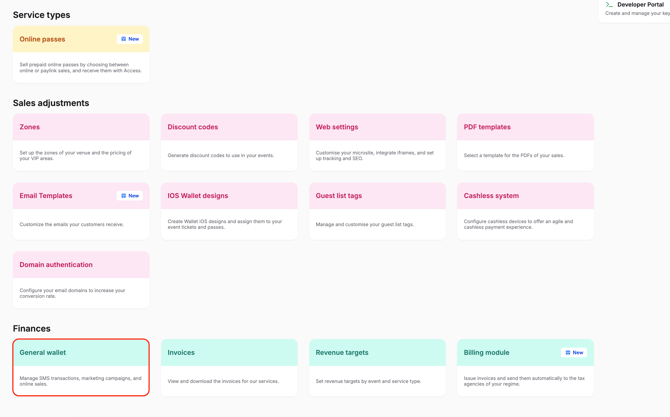
- Go to Settings > Finances > General Wallet.

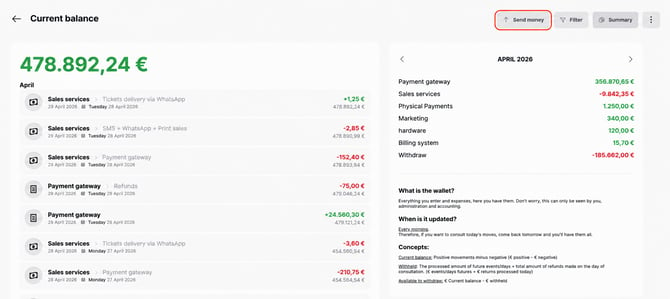
- Click “Send money” in the top-right corner.
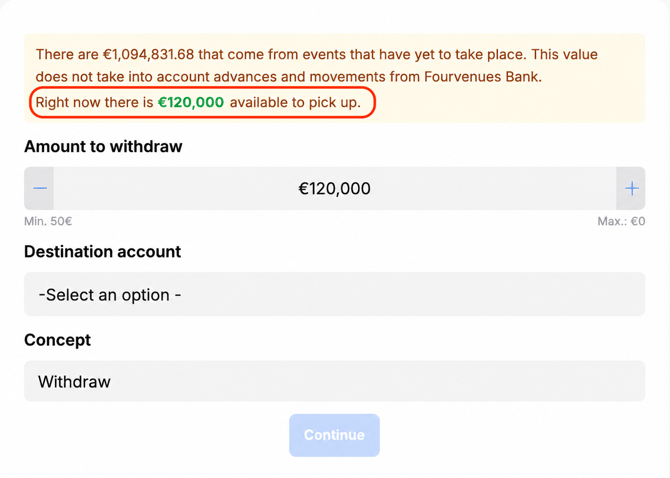
- Review the available balance to withdraw, which corresponds to events that have already taken place.
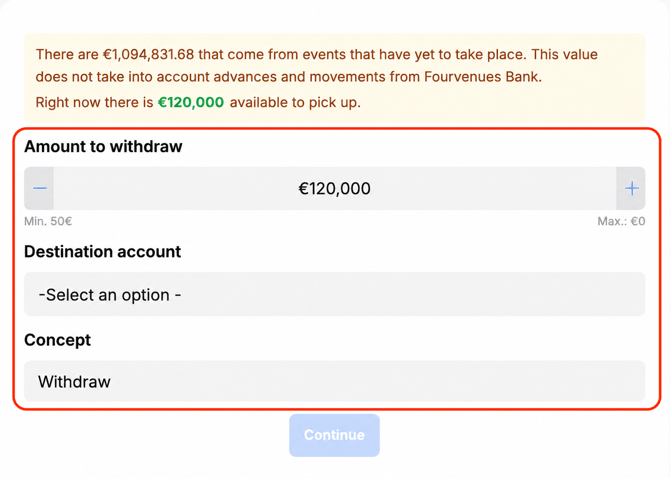
- Enter the amount you want to withdraw, with a minimum of €50.
- Select the destination bank account. If you do not have one linked yet, you can add it from this same modal.
- Add the transfer description.
- Click “Continue”.
The operation has been completed successfully. Remember that the transfer may take between 48 and 72 business hours to become effective.
👥 If you need more information, feel free to contact us via the PRO chat or at help@fourvenues.com, letting us know how we can help.