![fourvenues.LOGO.blanco.png]](https://base-conocimientos.fourvenues.com/hs-fs/hubfs/fourvenues.LOGO.blanco.png?height=40&name=fourvenues.LOGO.blanco.png)
Before You Begin
Follow these steps to create your account on Fourvenues PRO and unlock all available tools.
ℹ️ Who Can Do This?
Anyone new who wants to access the PRO platform.
Step by Step
1. Go to the Registration Page
Start the registration process by visiting the Fourvenues homepage.
How to do this?
Go to fourvenues.com and click on "Professional Access" in the top-right corner.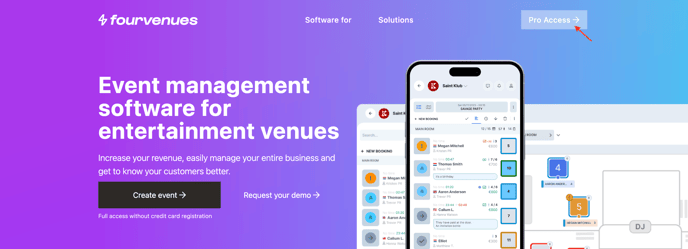
2. Fill in Your Personal Information
You have two options to sign up:
-
Quick Registration with Google or Apple:
Click on "Continue with Google" or "Continue with Apple" to register using one of these accounts. -
Manual Registration:
Enter your email address and click "Create Account." Ensure your email is valid as a confirmation link will be sent to it.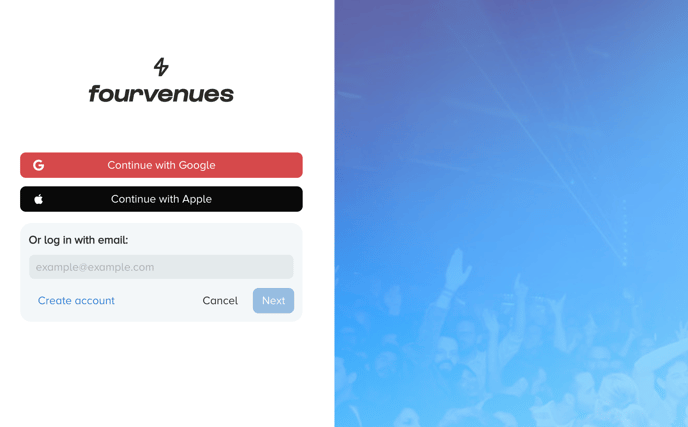
3. Confirm Your Account
Check your email and click the confirmation link to activate your account.
How to do this?
Look for the Fourvenues PRO email in your inbox (or your spam folder, if necessary). Click the link to finalize the registration process.
🔑 Passwordless Login:
There’s no need to create or remember a password to access Fourvenues PRO. Each time you want to log in, you’ll receive a confirmation email. Simply click the link in the email to gain immediate and secure access.
4. Log In to Fourvenues PRO
Once your account is confirmed, 🎉 You're all set!
Now you can start using Fourvenues PRO to manage your sales efficiently. To do so, return to fourvenues.com, click "Professional Access," and log in using your email, or choose "Continue with Google" or "Continue with Apple."
5. Join an Organisation
Since you are not yet collaborating with any organisation, when you access your profile in Fourvenues PRO, you will see a welcome screen like this. Click on "+ Join an Organisation".

6. Request Access to the Organisation
In the search bar, enter the name of the organisation you wish to join and request access.
🎉 All set!
Once your request is approved by the administrators, you will receive a notification in your email, and you can start collaborating with your team. Access the tools, manage your sales, and boost your performance.
👥 Need Help or Have Questions?
Contact us at help@fourvenues.com for assistance with the registration process or any other inquiries.