![fourvenues.LOGO.blanco.png]](https://base-conocimientos.fourvenues.com/hs-fs/hubfs/fourvenues.LOGO.blanco.png?height=40&name=fourvenues.LOGO.blanco.png)
Before you begin
This feature shows the actual financial detail of each event within a selected period: what has been processed through the payment gateway, management fees, name changes, refunds, and SMS sending costs.
ℹ️ Who can access this?
Only users with Administrator or Accounting permissions. Other roles will not be able to view this information.
Things to keep in mind:
- The breakdown groups data by event, not by day, within the selected time period.
- The data reflects processed transactions, not the commissions associated with generated sales. You can find those in Settings > Invoices.
- You can cross-check this breakdown with your monthly invoices to reconcile each period.
Step by step
How to access the breakdown
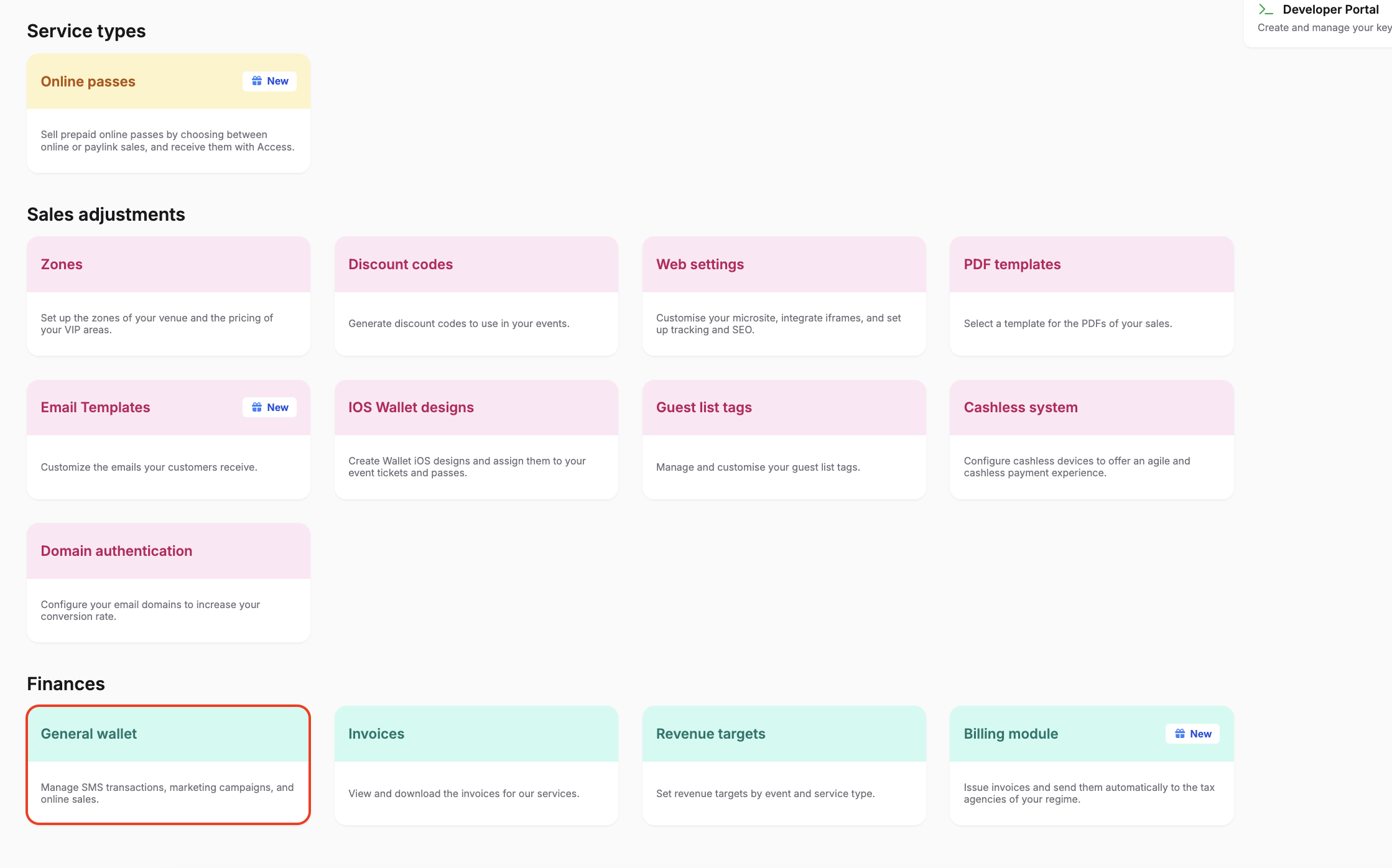
- Go to Settings > Finances > General Wallet.

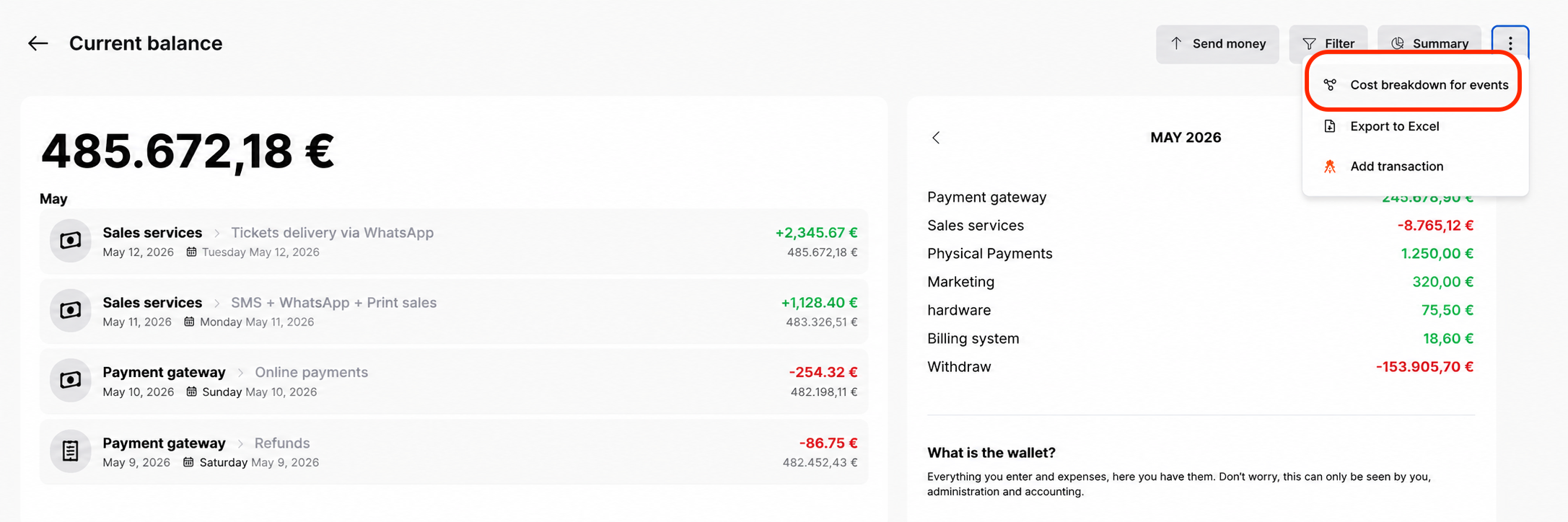
- Click on the three dots in the top-right corner and select “Cost breakdown for event”.
- Choose the date range you want to analyze (e.g. from April 1st to April 30th to review the full month).
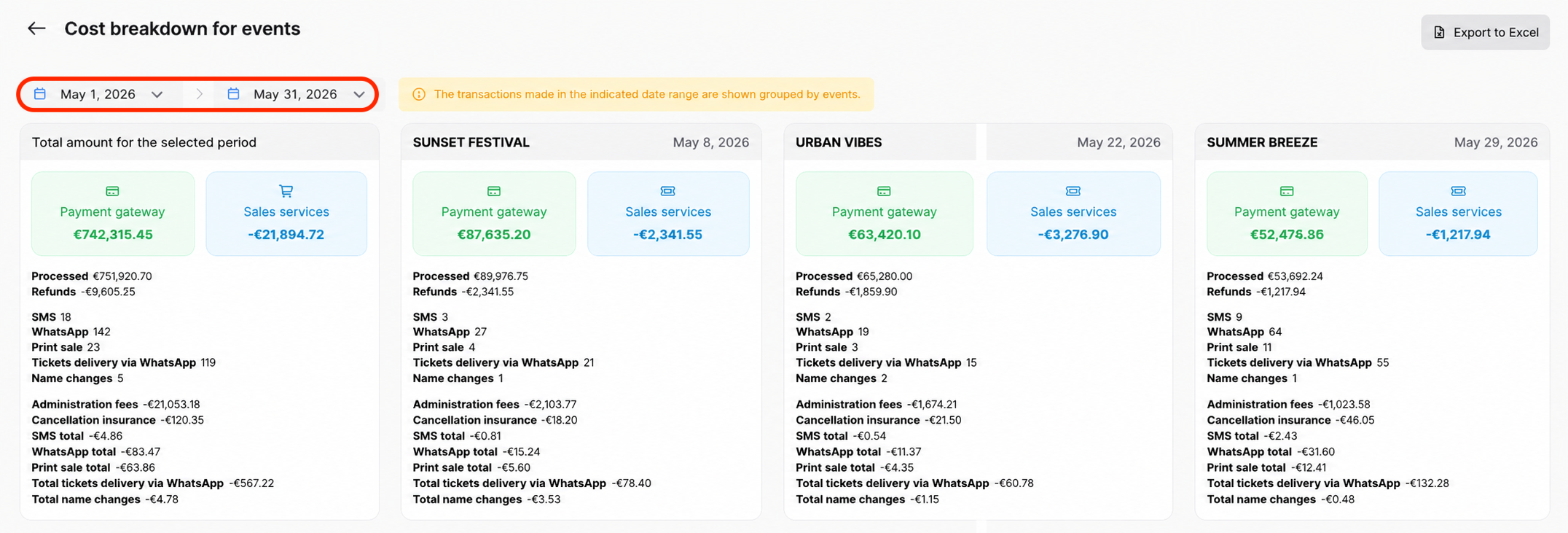
Once the filter is applied, you will see all transactions within the selected date range, grouped by event.
- Review the listed events and their amounts by category.
What information you’ll see per event
You will find total amounts grouped by event, including:
- Processed amounts through the payment gateway and associated sales service costs
- Refunds issued
- Total number of name changes
- Total sales generated through SMS, WhatsApp, or printed tickets
- Costs associated with all the above
Downloading the breakdown
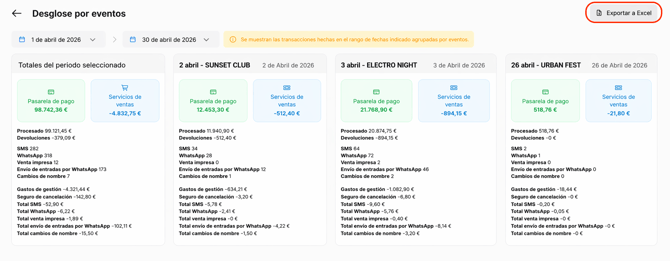
From the button in the top-right corner, you can export all the information to Excel for a more detailed analysis, making it easier to work with the data.
Good practice
Always use the same date range as your monthly invoices (from the 1st to the last day of the month). This will allow you to easily match the total processed amount with the commission invoice issued by Fourvenues and detect any discrepancies before closing the month.
Need help?
👥 If you need more information, feel free to contact us via the PRO chat or at help@fourvenues.com, letting us know how we can help.